Introduction
PDF files are one of the most reliable document formats for sharing reports, contracts, presentations, manuals, invoices, eBooks, and official records. They preserve formatting across different devices and operating systems, making them ideal for both personal and professional use. However, large PDF files can become difficult to manage, upload, share, or edit. A document containing hundreds of pages may also make it harder for readers to locate specific information quickly.
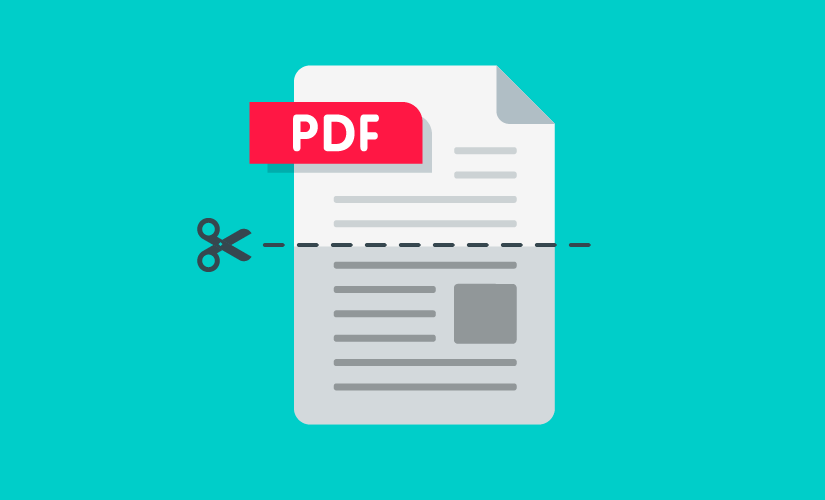
Splitting a large PDF into smaller documents is an effective solution. It improves file organization, reduces file size, speeds up sharing, and makes documents easier to navigate. Whether you are handling business reports, legal paperwork, academic research, training materials, or personal records, learning how to split PDF files properly can save time and improve productivity.
This comprehensive guide explains everything you need to know about splitting large PDF files into smaller documents while maintaining quality, organization, and document security.
Why Split Large PDF Files
Large PDF documents are often difficult to work with.
Uploading them may take longer.
Email services often have attachment size limits.
Finding specific pages becomes time-consuming.
Editing large documents can slow down some applications.
Splitting a PDF into smaller sections creates a more organized workflow while making documents easier to store, access, and distribute.
Benefits of Splitting PDF Files
Breaking a large PDF into smaller files offers many advantages.
Improves document organization.
Makes file sharing faster.
Reduces upload time.
Helps recipients download files more easily.
Simplifies document editing.
Allows different sections to be shared with different people.
Improves collaboration among teams.
Creates smaller backup files.
These benefits make PDF splitting valuable for both personal and business use.
When You Should Split a PDF
There are many situations where splitting a PDF is useful.
Large business reports.
Employee training manuals.
Academic textbooks.
Legal case documents.
Financial statements.
Scanned archives.
Multi-chapter eBooks.
Presentation handouts.
Project documentation.
Instead of working with one oversized document, dividing it into logical sections improves efficiency.
Plan Before Splitting
Before separating pages, decide how the final documents should be organized.
Some users divide files by chapters.
Others organize by departments, clients, dates, or document types.
Planning first prevents confusion later and creates a more structured filing system.
Organize Pages Logically
Each new PDF should contain related information.
For example, a company handbook might be divided into employee policies, workplace safety, benefits, training materials, and company procedures.
Keeping related content together improves readability and navigation.
Maintain Original Formatting
One of the biggest advantages of PDF files is their consistent formatting.
Splitting a PDF should preserve page layouts, fonts, images, tables, and graphics exactly as they appear in the original document.
Always review the new files to ensure formatting remains unchanged.
Keep the Original File
Never delete the original PDF after splitting it.
The original serves as a backup in case additional pages need to be extracted later or mistakes occur during organization.
Maintaining the master copy is considered a best practice for document management.
Name Files Clearly
Meaningful filenames improve organization.
Instead of using generic names, choose descriptive titles that identify each section.
Clear filenames make searching, sharing, and storing documents much easier.
Consistent naming conventions also help teams collaborate more effectively.
Remove Unnecessary Pages
Before splitting a PDF, review the document carefully.
Delete duplicate pages.
Remove blank pages.
Exclude outdated information.
Eliminating unnecessary content before splitting creates cleaner, more useful documents.
Preserve Page Order
Maintaining the correct sequence is essential.
A report should begin with its cover page, followed by the introduction, supporting content, and conclusion.
Incorrect page order may confuse readers and reduce the document’s usefulness.
Always verify page sequence after splitting.
Compress Files When Necessary
Although splitting reduces document size, some sections may still contain large images or graphics.
Compressing individual PDFs can further reduce storage requirements while maintaining good visual quality.
Smaller files upload faster and are easier to share.
Protect Sensitive Information
Large PDF documents often contain confidential information.
Business contracts.
Medical records.
Financial reports.
Legal documents.
Employee information.
If only part of a document needs to be shared, splitting the PDF helps limit access to sensitive content.
This improves both privacy and document security.
Improve Collaboration
Different departments often need different sections of the same document.
Instead of distributing an entire manual, you can provide each team with only the pages relevant to their responsibilities.
Smaller files simplify collaboration and reduce unnecessary information sharing.
Archive Documents Efficiently
Archived files become easier to manage when organized into smaller categories.
Separate files by year, project, customer, department, or document type.
Well-organized archives save time whenever documents need to be retrieved.
Proper organization also improves long-term record management.
Review Each New PDF
After splitting, inspect every document carefully.
Check page numbers.
Verify formatting.
Ensure no pages are missing.
Confirm images appear correctly.
Review tables and charts.
A final quality check prevents errors before sharing the files.
Use Consistent File Organization
Create folders that match your document structure.
Examples include invoices, contracts, reports, presentations, research, or training materials.
Organized folders reduce confusion and simplify future document management.
Consistency becomes increasingly valuable as your document collection grows.
Common Mistakes When Splitting PDF Files
Many users unintentionally create problems while separating documents.
Splitting at incorrect page locations.
Removing important pages accidentally.
Using confusing filenames.
Deleting the original file.
Ignoring document security.
Failing to review the final files.
Keeping all split files in one unorganized folder.
Avoiding these mistakes results in cleaner and more professional document management.
Best Practices for Splitting PDF Files
Plan the document structure before splitting.
Maintain the original file.
Organize pages logically.
Use descriptive filenames.
Review every new document.
Protect confidential information.
Compress files when appropriate.
Store files inside organized folders.
Keep consistent naming conventions.
Back up important documents regularly.
Following these best practices creates a reliable and efficient document management system.
Advantages for Businesses
Businesses work with thousands of PDF documents every year.
Invoices.
Purchase orders.
Contracts.
Employee records.
Policies.
Marketing materials.
Customer reports.
Splitting large documents makes storage easier, improves collaboration, speeds up file sharing, and increases productivity across departments.
Well-organized PDF management also supports better customer service and faster document retrieval.
Benefits for Students
Students often work with lengthy textbooks, research papers, lecture notes, and study guides.
Splitting these materials into smaller sections makes studying more organized.
Individual chapters become easier to review.
Specific subjects can be accessed quickly.
Smaller files also occupy less storage space on mobile devices.
Future of PDF Document Management
Modern document management continues evolving through artificial intelligence and cloud technology.
Future systems will automatically recognize chapters, headings, and document sections before suggesting logical split points.
AI-powered organization, searchable archives, and intelligent file management will continue improving productivity while reducing manual work.
Learning effective PDF organization today prepares users for these future innovations.
Conclusion
Splitting large PDF files into smaller documents is one of the simplest ways to improve document organization, increase productivity, and simplify file sharing. Smaller PDFs are easier to upload, download, edit, archive, and distribute while maintaining the professional appearance that makes PDF files so popular.
By planning your document structure, preserving the original file, reviewing each split document carefully, using descriptive filenames, protecting confidential information, and maintaining organized folders, you can create an efficient document management system that works well for personal, academic, and professional needs. Whether you manage business reports, legal files, study materials, or personal records, mastering PDF splitting will help you work faster and keep your digital documents organized for years to come.