Introduction
PDF files are among the most widely used document formats for sharing information securely. Businesses use them for contracts, invoices, financial reports, and employee records. Students use PDFs for assignments and research papers, while individuals often store personal documents such as identification records, certificates, and legal paperwork in PDF format. Because these files frequently contain sensitive information, protecting them from unauthorized access is extremely important.
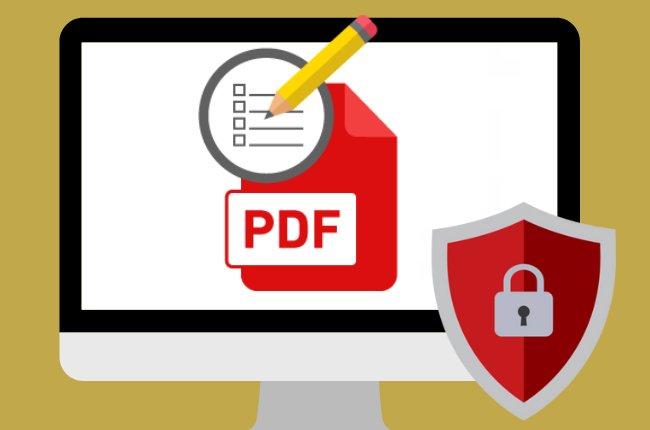
One of the most effective ways to secure a PDF is by using passwords and encryption. Password protection prevents unauthorized users from opening or modifying a document, while encryption ensures that the file remains unreadable without proper authorization. Together, these security features help protect confidential information from theft, accidental exposure, and unauthorized editing.
This complete guide explains how PDF passwords and encryption work, why they are important, and the best practices for keeping your documents secure.
Why PDF Security Matters
Digital documents are shared through email, cloud storage, messaging applications, and websites every day. Without proper protection, confidential information can easily be accessed, copied, edited, or distributed without permission.
Protecting PDF files helps safeguard personal privacy, business data, financial records, legal agreements, and intellectual property. Strong document security also builds trust with clients, customers, and business partners.
Whether you are sending a single contract or storing thousands of important files, document protection should always be part of your workflow.
Understanding PDF Password Protection
Password protection is one of the simplest and most effective security methods available for PDF documents.
When a password is applied, users must enter the correct password before accessing the file. Without it, the document remains inaccessible.
Password protection adds an important layer of security, especially when files are shared online or stored in cloud services.
Understanding PDF Encryption
Encryption goes beyond ordinary password protection.
Instead of simply hiding access, encryption converts document data into unreadable information using advanced mathematical algorithms.
Only users with the correct authorization can decrypt and view the document.
Even if someone obtains the file, the contents remain protected unless the proper credentials are available.
Encryption significantly improves document security.
Types of PDF Passwords
PDF documents commonly support two different types of passwords.
An open password prevents unauthorized users from viewing the document.
A permissions password allows users to open the file while restricting actions such as editing, printing, copying text, or adding comments.
Using both types together provides stronger protection.
Benefits of Password-Protecting PDF Files
Securing PDF documents offers numerous advantages.
Protects confidential information.
Prevents unauthorized access.
Restricts unwanted editing.
Reduces the risk of accidental modification.
Protects business records.
Improves document privacy.
Supports secure file sharing.
Strengthens customer trust.
These benefits make password protection valuable for both individuals and organizations.
Protect Sensitive Business Documents
Many businesses handle confidential information every day.
Financial reports.
Employee records.
Customer databases.
Contracts.
Business proposals.
Internal policies.
Protecting these documents helps prevent data leaks and unauthorized disclosure.
Strong document security also supports regulatory compliance in many industries.
Protect Personal Documents
Individuals also benefit from securing PDF files.
Tax records.
Identity documents.
Insurance papers.
Medical reports.
Property records.
Educational certificates.
Personal financial statements.
Password protection reduces the risk of identity theft and unauthorized access to private information.
Choose Strong Passwords
The strength of your password directly affects document security.
Weak passwords are easier to guess or crack.
Strong passwords combine uppercase letters, lowercase letters, numbers, and special characters.
Long passwords provide better protection than short ones.
Avoid predictable words, birthdays, names, or simple number sequences.
Unique passwords improve security significantly.
Store Passwords Safely
A secure password is useful only if you can remember it.
Avoid writing passwords on paper attached to your computer.
Instead, store them using secure password management methods.
Organized password storage reduces the risk of losing access to important documents.
Limit Editing Permissions
Not everyone who views a PDF should be allowed to modify it.
Restrict editing permissions whenever documents are intended only for reading.
Permission controls help preserve document integrity while reducing accidental changes.
This is especially important for contracts, official forms, certificates, and reports.
Prevent Unauthorized Printing
Some PDF security settings allow document owners to limit printing.
This feature helps protect confidential reports and copyrighted materials.
Although no security system is perfect, restricting printing adds another useful layer of protection.
Restrict Copying Text
Sensitive documents often contain valuable information.
Permission settings can prevent users from copying text or extracting content directly from the PDF.
This reduces unauthorized reuse of confidential information.
Although advanced users may still find alternative methods, copy restrictions discourage casual misuse.
Secure PDF Files Before Sharing
Apply security settings before sending documents by email or uploading them to cloud storage.
Once a file has been shared without protection, it may already be exposed.
Preparing documents before distribution helps reduce security risks.
Verify Security Settings
After protecting a document, test it.
Open the PDF on another device.
Confirm that the password is required.
Verify editing restrictions.
Check printing permissions.
Ensure all intended protections work correctly before sharing the file.
Keep Backup Copies
Always maintain an unprotected master copy in a secure location.
If the password is forgotten or permissions need to be changed later, the original document remains available.
Professional document management always includes secure backups.
Share Passwords Securely
Sending both the PDF and its password through the same email reduces security.
Whenever possible, share passwords using a different communication method.
Separating the document from its password reduces the chance of unauthorized access.
Common PDF Security Mistakes
Many users unintentionally weaken document security.
Using short passwords.
Reusing the same password for every file.
Sharing passwords publicly.
Leaving confidential documents unprotected.
Forgetting backup copies.
Ignoring permission settings.
Assuming passwords alone guarantee complete security.
Avoiding these mistakes significantly improves document protection.
Best Practices for PDF Security
Use strong unique passwords.
Enable document encryption.
Restrict editing when necessary.
Prevent unnecessary printing.
Protect confidential information before sharing.
Store passwords safely.
Maintain secure backups.
Review security settings regularly.
Verify document protection before distribution.
Keep software updated to support modern security standards.
Following these practices creates a much safer document management process.
Benefits for Businesses
Secure PDF documents protect valuable business information while improving trust and professionalism.
Organizations handling legal contracts, customer information, financial reports, or employee records benefit from stronger security policies.
Well-protected documents reduce operational risks and support compliance with privacy regulations.
Effective PDF security also strengthens relationships with clients and business partners.
Benefits for Students and Individuals
Students frequently store assignments, certificates, research papers, and academic records in PDF format.
Individuals often archive personal documents for many years.
Password protection helps safeguard these files against unauthorized access while ensuring important information remains private.
Even simple security measures can greatly improve digital privacy.
Future of PDF Security
Document security continues evolving alongside advances in cybersecurity.
Artificial intelligence now assists with threat detection, identity verification, and intelligent access control.
Modern encryption standards continue becoming stronger while remaining easier for authorized users to manage.
Future PDF security solutions will likely include biometric authentication, cloud-based identity management, and even more advanced encryption technologies.
Understanding current security practices prepares users for these future improvements.
Conclusion
Protecting PDF files with passwords and encryption is one of the most effective ways to secure sensitive digital documents. Whether you are safeguarding personal records, business contracts, financial reports, academic materials, or confidential client information, proper PDF security helps prevent unauthorized access, unwanted editing, and accidental disclosure.
By using strong passwords, enabling encryption, restricting permissions, verifying security settings, maintaining secure backups, and following proven best practices, you can confidently protect your documents while ensuring they remain accessible only to authorized users. Developing good PDF security habits today will help safeguard valuable information for years to come while supporting a safer and more professional digital workflow.