Introduction
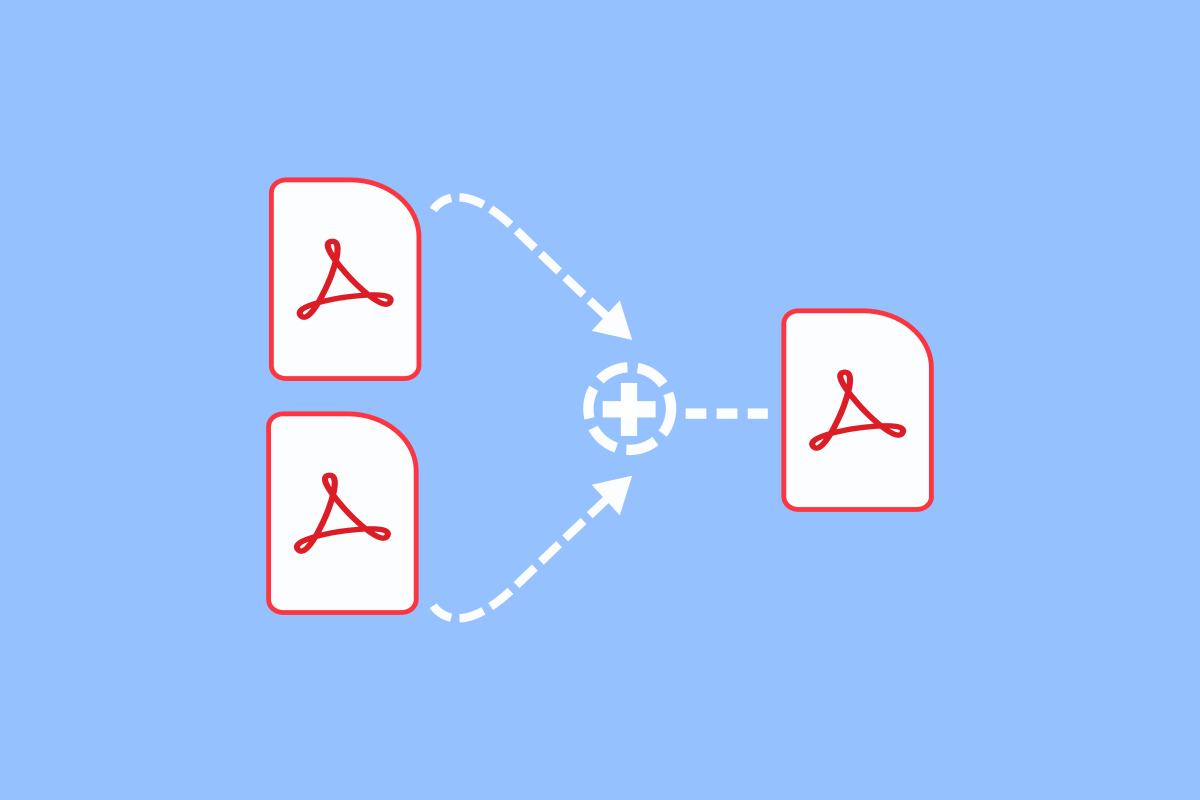
PDF files have become one of the most widely used document formats for business, education, government, and personal use. They preserve formatting, display consistently across devices, and are easy to share. However, there are many situations where you may need to combine several PDF files into a single document. For example, you might want to merge invoices, contracts, resumes, reports, presentations, or study notes into one organized file.
Many people assume they need expensive desktop software to merge PDF documents, but that is no longer the case. Today, you can combine PDF files using secure online services, built-in operating system features, cloud storage platforms, and web-based productivity tools without downloading or installing additional software.
This guide explains how to merge PDF files without installing software while maintaining document quality, protecting your files, and improving productivity.
Why Merge PDF Files
Combining multiple PDF documents into one file offers several advantages.
It keeps related documents organized.
It makes sharing easier because only one file needs to be sent.
It reduces confusion caused by multiple attachments.
It creates professional reports and presentations.
It simplifies document storage and management.
Whether you are a student, business owner, freelancer, or office employee, merging PDFs saves time and improves workflow.
Benefits of Using Online PDF Tools
Modern web-based PDF tools allow users to merge documents directly in a browser.
Since everything runs online, there is no need to install software or worry about system compatibility.
Some key benefits include faster access, automatic updates, cross-platform support, and the ability to work from almost any device with an internet connection.
These tools are especially useful for users who occasionally merge PDF files and do not require advanced desktop editing software.
Prepare Your PDF Files Before Merging
Before combining documents, organize them properly.
Rename files with clear names.
Place them in the correct order.
Check that every file opens correctly.
Remove unnecessary pages if possible.
Preparing documents beforehand reduces mistakes during the merging process.
Check Document Quality
Before merging, review each PDF carefully.
Make sure text is readable.
Confirm that images remain clear.
Verify that page orientation is correct.
Check for missing pages.
Combining poor-quality files creates a poor-quality final document.
Always start with the best available versions.
Arrange Pages in the Correct Order
The order of pages is one of the most important parts of merging PDFs.
For example, a business proposal should begin with a cover page, followed by an introduction, supporting documents, and appendices.
Taking a few minutes to organize files before merging saves time later.
Many online PDF tools allow you to drag and reorder documents before creating the final file.
Maintain Original Formatting
One advantage of the PDF format is its ability to preserve layouts.
Fonts, images, tables, and spacing usually remain unchanged after merging.
However, if the original documents use different page sizes or orientations, the final file may appear inconsistent.
Review formatting before sharing important documents.
Protect Sensitive Information
Many PDF files contain confidential information.
Financial records.
Personal identification.
Business contracts.
Medical documents.
Legal paperwork.
Before uploading files to any online service, remove unnecessary personal information whenever possible.
Choose reputable services that automatically delete uploaded files after processing.
Protecting privacy should always be a priority.
Merge PDFs Using Cloud Storage Services
Some cloud storage platforms include built-in document management features that allow users to organize and combine files without installing software.
These services make it easy to access documents from multiple devices while keeping everything synchronized.
Cloud-based workflows also improve collaboration among teams working remotely.
Use Browser-Based Productivity Tools
Several web-based office suites provide PDF management capabilities.
These tools often allow users to organize documents, convert file formats, and combine PDFs directly within the browser.
Since no software installation is required, they work well on Windows, macOS, Linux, and many mobile devices.
Merge PDFs on Mobile Devices
Smartphones and tablets can also merge PDF files without requiring desktop software.
Many browser-based tools are fully optimized for mobile devices.
This allows users to combine documents while traveling, attending meetings, or working remotely.
Mobile compatibility increases flexibility and convenience.
Compress the Final PDF
After merging several documents, the resulting file may become quite large.
Large PDF files take longer to upload, download, and email.
Compressing the final document reduces file size while maintaining acceptable quality.
Smaller files improve sharing and storage efficiency.
Review the Final Document
Never send a merged PDF without checking it first.
Open the completed file.
Scroll through every page.
Verify page order.
Check formatting.
Ensure all pages appear correctly.
Look for missing or duplicated pages.
A final review helps avoid embarrassing mistakes.
Add Bookmarks When Needed
Long PDF documents become easier to navigate when bookmarks are included.
Bookmarks allow readers to jump directly to specific sections.
Business reports, instruction manuals, research papers, and training materials especially benefit from organized navigation.
Although not always necessary, bookmarks greatly improve usability.
Maintain Consistent Page Orientation
If some documents are portrait while others are landscape, the merged file may feel inconsistent.
Rotate pages when necessary before sharing.
Consistent page orientation improves readability and creates a more professional appearance.
Organize File Names
Using descriptive filenames makes future document management much easier.
Instead of generic names like Document1 or Scan2, choose meaningful names that describe the contents.
Organized filenames improve collaboration and reduce confusion.
Keep Backup Copies
Always save copies of the original PDF files before merging.
If changes become necessary later, you can easily recreate the merged document without losing information.
Maintaining backups is a simple but valuable habit.
Common Mistakes When Merging PDF Files
Many users unintentionally create problems while combining documents.
Uploading files in the wrong order.
Ignoring page orientation.
Sharing documents without reviewing them.
Uploading confidential information to unreliable services.
Deleting original files immediately after merging.
Forgetting to compress very large documents.
Avoiding these mistakes produces cleaner, more professional results.
Security Tips When Using Online PDF Tools
Security should always be considered when working with important documents.
Use trusted websites.
Avoid uploading highly confidential files unless necessary.
Read privacy policies.
Delete temporary files after downloading the merged document.
Keep backup copies stored safely.
These precautions help protect sensitive information.
Best Practices for Merging PDF Files
Prepare files before uploading.
Arrange documents in the correct order.
Review formatting.
Check page orientation.
Compress large files.
Protect confidential information.
Verify the final document carefully.
Store original files safely.
Use descriptive filenames.
Maintain organized folders.
Following these best practices creates professional documents while reducing the risk of errors.
Advantages of Browser Based PDF Management
Working entirely within a web browser offers many benefits.
No installation required.
Works across multiple operating systems.
Accessible from different devices.
Automatic software updates.
Reduced storage requirements.
Easy collaboration.
Quick access from anywhere with an internet connection.
These advantages make browser-based PDF tools a practical solution for both personal and professional use.
Future of Online PDF Editing
Online document management continues to improve rapidly.
Modern web applications now offer features such as AI-assisted document organization, electronic signatures, cloud collaboration, OCR text recognition, automated file conversion, and secure cloud storage.
As internet speeds and browser technology continue advancing, browser-based PDF editing will become even more powerful and convenient.
Users can expect faster processing, stronger security, and improved compatibility with a wide variety of devices.
Conclusion
Merging PDF files without installing software has become easier than ever. Modern browser-based tools and cloud services allow users to combine documents quickly while preserving formatting and maintaining compatibility across devices. Whether you need to merge contracts, invoices, resumes, presentations, research papers, or personal documents, following a well-organized workflow ensures professional results.
By preparing files carefully, arranging pages correctly, reviewing the final document, protecting sensitive information, and keeping backup copies, you can create clean, organized PDF documents without relying on desktop software. These simple best practices improve productivity, simplify document management, and make sharing information faster and more efficient in both personal and professional environments.